
Knoxville News from WBIR
TEGNANews & Magazines
4.61.06K Reviews
- Version
- 50.23.2
- Installs
- 100.00K
- Age Rating
- Everyone
Screenshots
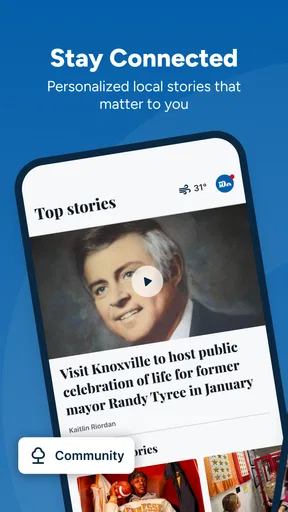
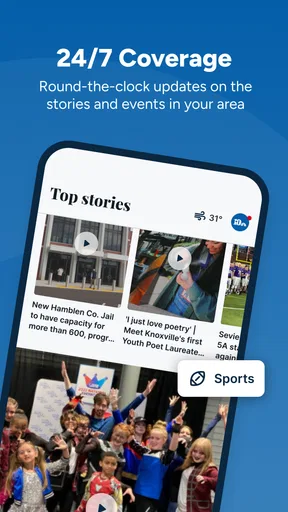
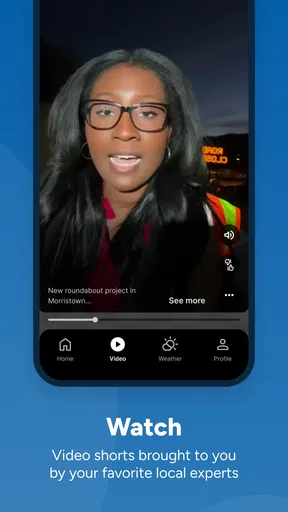
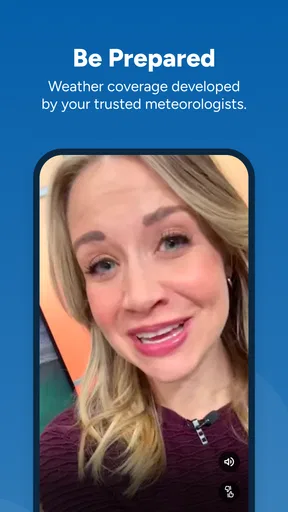
Our Review of Knoxville News from WBIR
 Analysis by Appyee
If you want local reporting from Knoxville and the surrounding East Tennessee area without sorting through a national news feed, Knoxville News from WBIR is a straightforward place to begin. I found its focus easy to understand from the first launch: it is a free news and magazines app from TEGNA, built around local stories, video, and weather rather than broad coverage from everywhere.
That narrow focus is its biggest strength. I would not install it expecting a complete replacement for every news source on my phone. I would install it because I care about what is happening close to Knoxville and want a quick way to check local developments, watch related coverage, and look at weather information in the same place. The app is rated for Everyone, and its average score of 4.6 from around 3.9 thousand ratings suggests that its basic purpose is working well for many users.
What to expect when you open Knoxville News
The experience is centered on local information, not on a personalized universe of unrelated headlines. That makes the app feel more useful when I have a specific reason to check it: a change in local conditions, a developing story in East Tennessee, or the need to understand what is happening in the community before leaving home.
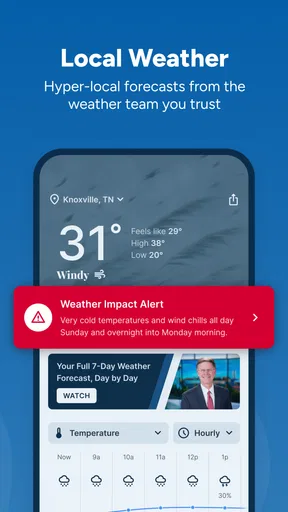
The app’s store summary highlights three main content types: news, video, and weather. In practice, that combination matters because local stories are often easier to understand when I can move between a written update and visual coverage. Weather also gives the app a practical everyday role. It is not only something I open when I want to read; it can become part of a morning routine or a quick check before driving across the area.
I especially like the distinction between this kind of local app and a general news aggregator. An aggregator may offer more subjects and a wider range of publishers, but it can bury a regional story among national politics, entertainment, sports, and international headlines. Here, the narrower editorial purpose reduces that noise. The trade-off is obvious: if I want extensive national or international reporting, I need another source alongside it.
The application has been available since Apr 25, 2012, so it is not a new experiment trying to prove that local news belongs on a phone. Its current version is 50.23.2, and it supports devices running Android 7.1 or later. That relatively broad system requirement makes it approachable for people who keep an older Android phone, although the exact feel will still depend on the device and its operating system.
Who will get the most from it
I think it suits Knoxville residents, people living elsewhere in East Tennessee who still follow the area, and anyone who wants a local source while visiting or commuting through the region. It can also help someone who does not want to build a complicated collection of separate apps for local reporting, video coverage, and weather checks.
The app is less suitable for a reader who wants a customizable national briefing, deep specialist reporting, or a single service covering many cities equally. Its value comes from local relevance. If Knoxville and East Tennessee are not part of your daily life, the focused coverage may feel too narrow rather than refreshingly simple.
One useful way to think about it is as a companion rather than an all-purpose news replacement. I would keep a broader source for national context, then use this app when the question is specifically, “What is happening around Knoxville and East Tennessee?” That division of labor is more realistic than expecting one local application to cover every information need.
Setting it up without overthinking the first launch
My advice for a first-time user is to begin with a clear purpose. Do not open the app merely because you feel you should “keep up with the news.” Decide whether your first goal is checking the latest local headlines, watching a report, or looking at weather. A specific goal makes the first session much less overwhelming and gives you a quick test of whether the app belongs in your routine.
After installing it, I would spend a minute looking at the main navigation and identifying where written stories, video, and weather are reached. The important thing is not to memorize every screen. It is to learn the path back to the main local feed. When a news app has several content formats, first-time users can waste time opening items at random; knowing how to return to the central stream keeps the experience calm and predictable.
The app is free, which removes the usual subscription decision at the starting line. That does not mean every user will have an identical experience, because phones differ in screen size, performance, and system behavior. Still, there is no purchase barrier to testing it during a normal day. I would use it for a few short visits rather than judge it after a single glance.
Because it is a local news application, the most useful setup is practical rather than decorative. Place it somewhere easy to reach if you expect to use it for morning weather or breaking local information. If you usually read news during a commute, remember that the app is best checked before driving or while safely stopped. A local news tool is only helpful when it fits a safe, repeatable habit.
The first meaningful success: complete one small task
For a new user, the first successful action should be simple: open the local feed, choose one story that matters to you, and then compare it with the weather information before planning the rest of your day. This takes the app beyond passive scrolling. You are testing whether it helps answer a real question, not merely whether the interface looks familiar.
A realistic example would be a weekday morning in Knoxville. I might open the app while deciding whether to leave early, scan the leading local coverage, watch a relevant video if the written report raises questions, and then check the weather before choosing what to wear or how to travel. The benefit is not that the app eliminates every other source. The benefit is that these local checks sit together in one focused destination.
Another useful workflow is to open the app after hearing about a developing event from a friend or social media. Instead of relying on a short post without context, I would look for the local report and any accompanying video. This is where the app’s regional focus can save time: I am not searching through a giant feed hoping the right location appears.
Reading one complete story is also a better test than judging the app by the first few headlines. Pay attention to whether the coverage gives you enough context for your purpose and whether the video adds something that text alone does not. If you only skim headlines, you may miss the app’s practical value as a local reporting and viewing tool.
For weather, I would use it as a planning aid rather than treat one quick glance as a guarantee for the entire day. Conditions can change, and local weather information is most useful when checked close to the activity it affects. The app makes that check convenient, but convenience should not turn into overconfidence.
Small habits that make the focused format work better
My first tip is to separate “I need information now” from “I want something to read.” When I need an immediate local update, I go directly to the most relevant section instead of browsing every item. When I have more time, I look through the feed and use video to add another perspective to a story. Treating those as different modes prevents the app from feeling slower than it really is.
My second tip is to use the weather area as a decision point in a routine, not as background decoration. For example, check local coverage first when a story may affect travel, then check weather before leaving. This order helps me connect information with an action. It is a more useful habit than opening the app repeatedly without knowing what I am looking for.
My third tip is to judge the app over several ordinary visits, including one when local news is especially relevant to you. A local application can feel quiet when nothing in your area demands attention, then become extremely useful during a developing event. That variation is part of the trade-off of regional coverage, not necessarily a flaw.
A fourth practical point is to keep a broader news source available if you need context beyond East Tennessee. I would not force this app to perform a job it was not designed for. Pairing it with a national source gives me local detail without losing the larger picture, and it is usually more efficient than trying to make one feed cover both perfectly.
Common points of confusion and realistic limitations
The first possible confusion is the meaning of “news” in a local app. This is not a general-purpose magazine rack with every subject from every place. Its identity is regional. If your first screen does not immediately offer the breadth you see in a national service, that is because the app is intentionally concentrating on Knoxville and East Tennessee.
The second is the role of video. Video is useful when I want to see or hear coverage rather than only read a headline, but it will not be the best format for every moment. If I am in a quiet public place, have limited time, or simply want to scan several updates, written stories are more convenient. I see video as an additional route into a story, not a reason to expect every visit to become a viewing session.
Weather can create a similar misunderstanding. Having weather in the same app is convenient, but it does not turn the application into a full planning system for every possible condition. I would use it for a quick local check and then apply ordinary judgment, especially when making decisions that depend heavily on changing conditions.
There is also a difference between a strong average rating and a perfect experience for every reader. The app’s 4.6 average is encouraging, but ratings cannot tell me whether its local focus matches your interests, whether your phone handles the current version smoothly, or whether you prefer a more customizable interface. Those are personal fit questions, and the best answer comes from trying it during the kind of day when local information actually matters.
With over 100 thousand installs, it has found an audience beyond a handful of early testers. That is reassuring if you want an established local-news option, but popularity should not be confused with universal suitability. Someone outside the coverage area may gain little from installing it, while a Knoxville resident may find the tight focus exactly what a broad aggregator lacks.
Another limitation is that local coverage naturally depends on what is happening in the region. On a slow news day, the app may not provide the same sense of discovery as a large platform filled with national and international stories. I would not call that a weakness in the same way as a missing feature; it is the cost of choosing relevance over volume.
Users should also remember that a news app is not a substitute for checking details when a decision is important. I use it to become informed and to find useful coverage, then I read beyond the headline when the subject affects my plans. That habit matters particularly with developing stories, where early information may change as reporting continues.
How it compares with the usual alternatives
Compared with a national news aggregator, Knoxville News feels more direct. An aggregator wins when I want many subjects, multiple regions, and algorithmic discovery in one stream. This app wins when I already know that Knoxville or East Tennessee is the place I care about and do not want local stories competing with unrelated headlines.
Compared with visiting a news website in a mobile browser, the app offers a more dedicated starting point for repeated checks. I do not have to begin by searching for the right local page each time. The value is modest but real: a familiar app icon can reduce friction when I want a quick local update, a video report, or weather information.
Compared with a weather-only app, this one is broader but less specialized. A dedicated weather service may be preferable if forecasts are your main reason for opening an app or if you need advanced weather tools. I would choose Knoxville News when weather is one part of a larger local-information routine, not when weather is the entire purpose.
Compared with social media, the app gives me a more deliberate route to local reporting. Social platforms can surface eyewitness posts quickly, but they also mix opinion, repetition, and unrelated material. I prefer this app when I want to move from a local concern to a report or video without sorting through a noisy social feed first.
Who should install it and what to do next
I recommend Knoxville News from WBIR to anyone who wants a free, focused way to follow Knoxville and East Tennessee. It is especially sensible for residents who want local reporting close at hand, people who regularly check regional weather, and readers who appreciate having video alongside written coverage. The Everyone age rating also makes it a broadly approachable choice for households looking for local information rather than a specialized service.
I would skip it if your main requirement is worldwide coverage, deep customization, or a highly specialized forecast experience. In those cases, a national news service, a broader aggregator, or a dedicated weather app may serve you better. Installing this app alongside those tools can still make sense, but I would not expect it to replace all of them.
The next step I suggest is concrete: install it, open the local feed, read one complete report, try the video option on a story where visuals help, and finish by checking the weather before making a real plan. That short test tells you more than a long scroll through headlines. If the information feels relevant to your day, keep it as your local check-in; if not, you have learned that the regional focus is not the right match.
After using it for a week, I would decide whether it deserves a permanent place on the home screen. My own view is that its value comes from consistency rather than spectacle. It does not need to be the only news app on your phone. It needs to make local information easier to reach when Knoxville and East Tennessee are the subjects that matter.
My final recommendation is simple: choose Knoxville News from WBIR when local relevance matters more to you than endless variety. TEGNA has kept the purpose clear, and the combination of local reporting, video, and weather gives the app a useful role in everyday routines. It is focused, free, and easy to test, with the main limitation being the same quality that makes it appealing: the coverage is designed for a particular region rather than for everyone everywhere.
Verdict
Strengths of Knoxville News from WBIR
- Fast access to breaking news and local updates from Knoxville and East Tennessee.
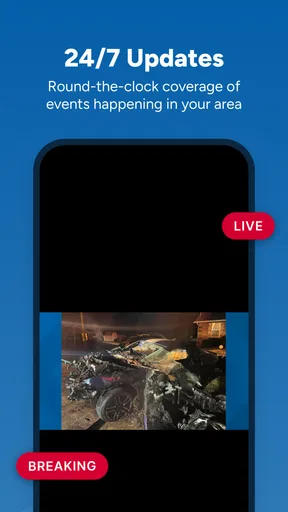
- Live video coverage helps users follow major events as they happen.
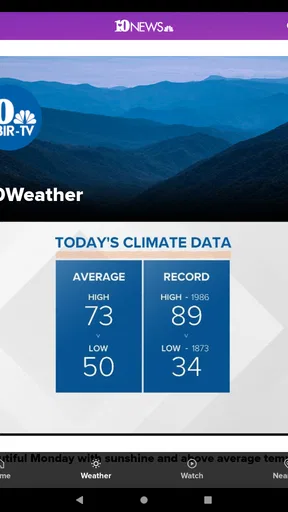
- Weather forecasts and alerts are useful for planning around changing conditions.
- Push notifications can keep you informed about urgent local developments.
- Coverage includes community stories often missed by national news apps.
Limitations of Knoxville News from WBIR
- Some articles may require scrolling through prominent ads and promotional content.
- Notification frequency can feel high unless alerts are customized carefully.
- Video reports may use significant mobile data when watched over cellular networks.
- Coverage is strongly focused on the Knoxville area and nearby communities.
- Occasional app or streaming issues may affect access during major breaking events.
Other Releases by TEGNA
View All
WFAA - News from North Texas
News & Magazines4.2

KARE 11 News
News & Magazines4.2

Cleveland News from WKYC
News & Magazines4.2

Arkansas News from THV11
News & Magazines4.5
Similar Picks in This Category
View All
Google News - Daily Headlines
Google LLC4.0

X
X Corp.4.8

Flipboard:Your Social Magazine
Flipboard3.4

Opera News: breaking & local
Opera4.5

Hindi News by Dainik Bhaskar
Dainik Bhaskar Group4.0

Way2News Daily News App
Way2News ( Formerly Way2SMS )4.6
Frequently Asked Questions
What is the Knoxville News from WBIR app?
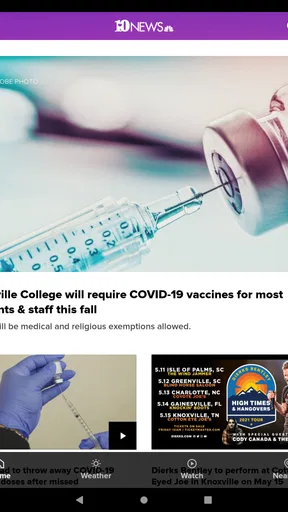
The Knoxville News from WBIR app is a mobile news platform for staying up to date with local stories in Knoxville and the surrounding East Tennessee area. It typically includes breaking news, weather reports, traffic updates, sports coverage, community stories, videos, and other content published by WBIR-TV. The layout is designed for quick browsing, with important developing stories and alerts available from the home screen.
What type of content can I find in the WBIR Knoxville News app?
The app covers a broad range of regional topics, including local and national news, politics, crime, education, health, business, entertainment, and sports. Its weather section is especially useful for checking forecasts, severe-weather information, radar, and potential alerts in East Tennessee. Depending on the current news cycle, users may also find live video, investigative reports, photo galleries, and updates from WBIR journalists.
Does the Knoxville News from WBIR app provide breaking news and weather alerts?
Yes, one of the main reasons to install the app is to receive timely notifications about major developments. Users can generally enable alerts for breaking news, severe weather, school or traffic information, and other important regional updates. Notification settings can usually be adjusted through the app or the device settings, which is helpful if you want essential warnings without receiving every available headline.
Is the WBIR Knoxville News app free to download and use?
The app is generally available to download at no initial cost, allowing users to browse news articles, watch selected videos, and access weather information without paying a download fee. However, free news apps may contain advertising, sponsored material, or links to external services. Some content could also depend on internet access, and availability of specific features may vary by location, device, or app version.
Does the Knoxville News from WBIR app require an internet connection?
Yes, an internet connection is normally required to load current articles, videos, live coverage, weather maps, and updated forecasts. It can work over Wi-Fi or mobile data, but streaming video and frequent refreshes may use a significant amount of cellular data. If you are traveling or have limited connectivity, previously loaded pages may remain temporarily available, although breaking updates and alerts cannot be guaranteed offline.
